Alhomsi Dev
Workspace Organizer
Open your whole project setup in one click.
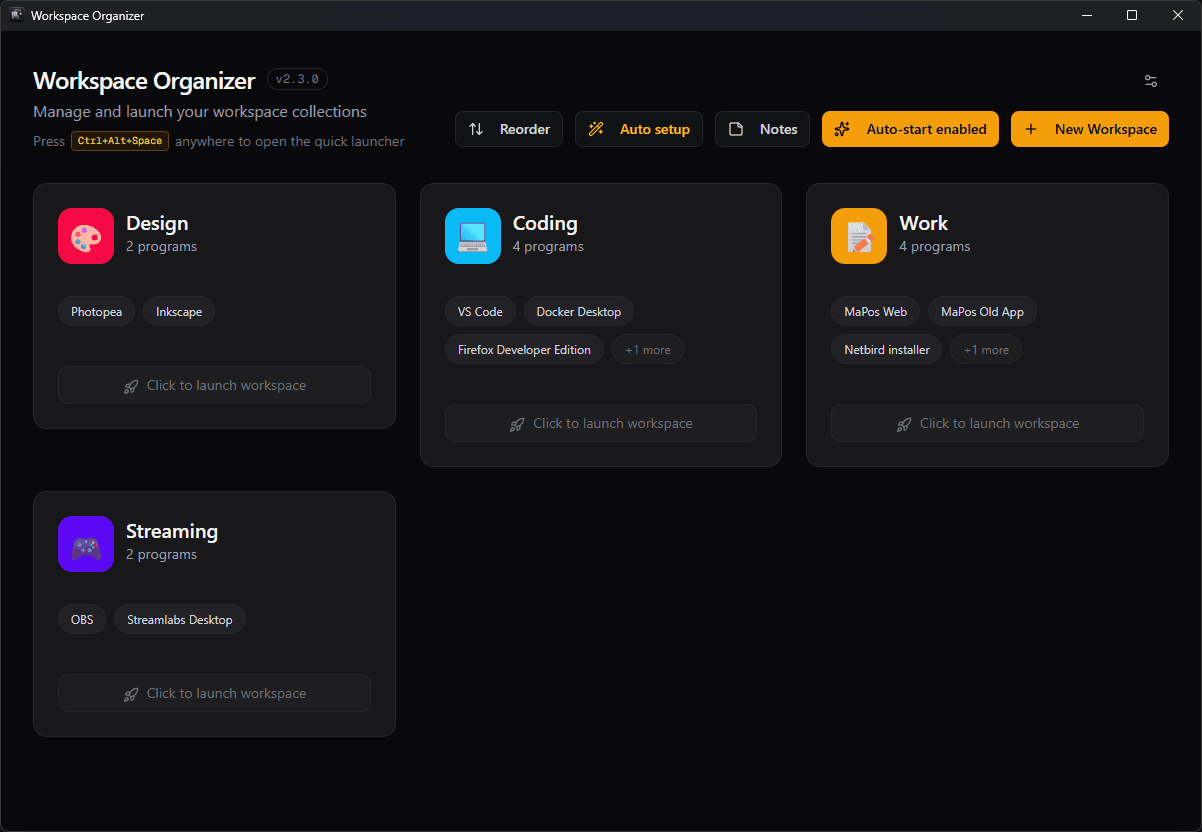
Workspace Organizer remembers the applications, folders and tools that make up a project, along with how each window should be arranged, then opens all of it together. Instead of rebuilding your environment every morning, you pick a workspace and it appears.
$4.99one-time · USD
- One-time purchase
- 14-day refund
- Instant licence key
- Windows 10 & 11
- Price
- $4.99
- One-time purchase
- Free trial
- 24 hours
- No card needed
- Version
- 2.3.0
- Last updated: 2026-08-31
- Works on
- Windows 10 & 11
- 7.9 MB · x64
Features
What it does
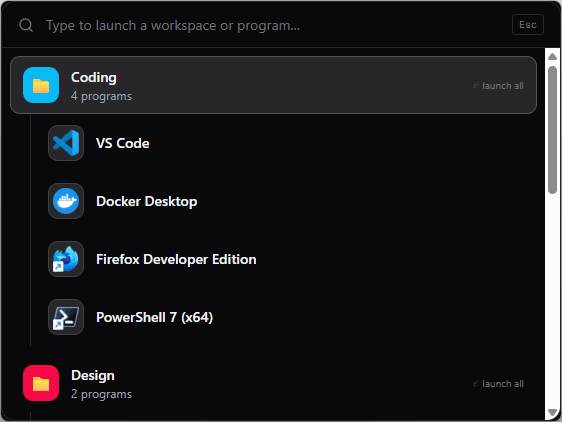
A launcher on a global hotkey
Press Ctrl+Alt+Space anywhere in Windows to search your workspaces and programs, and start either without reaching for the mouse.
Finds what you already have installed
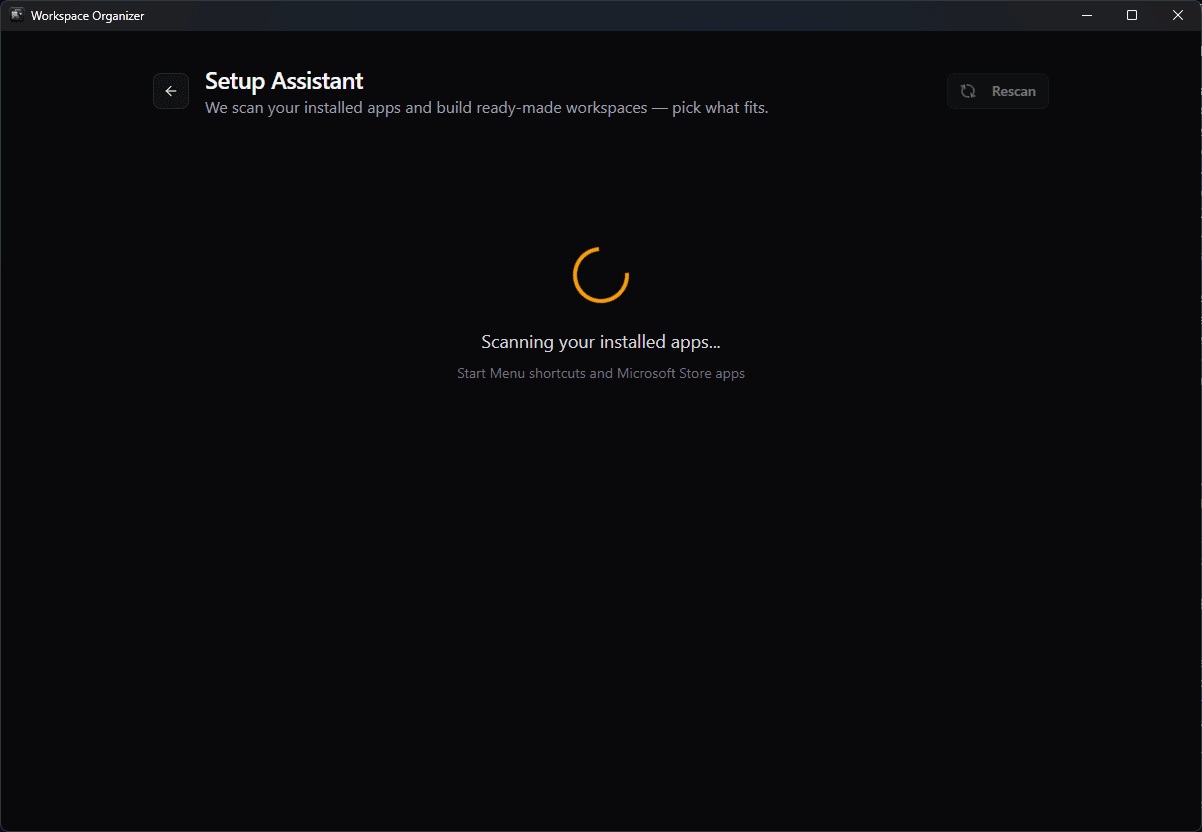
The setup assistant scans your Start Menu shortcuts and Microsoft Store apps and proposes ready-made workspaces, so building the first one is picking from a list rather than hunting for executables.
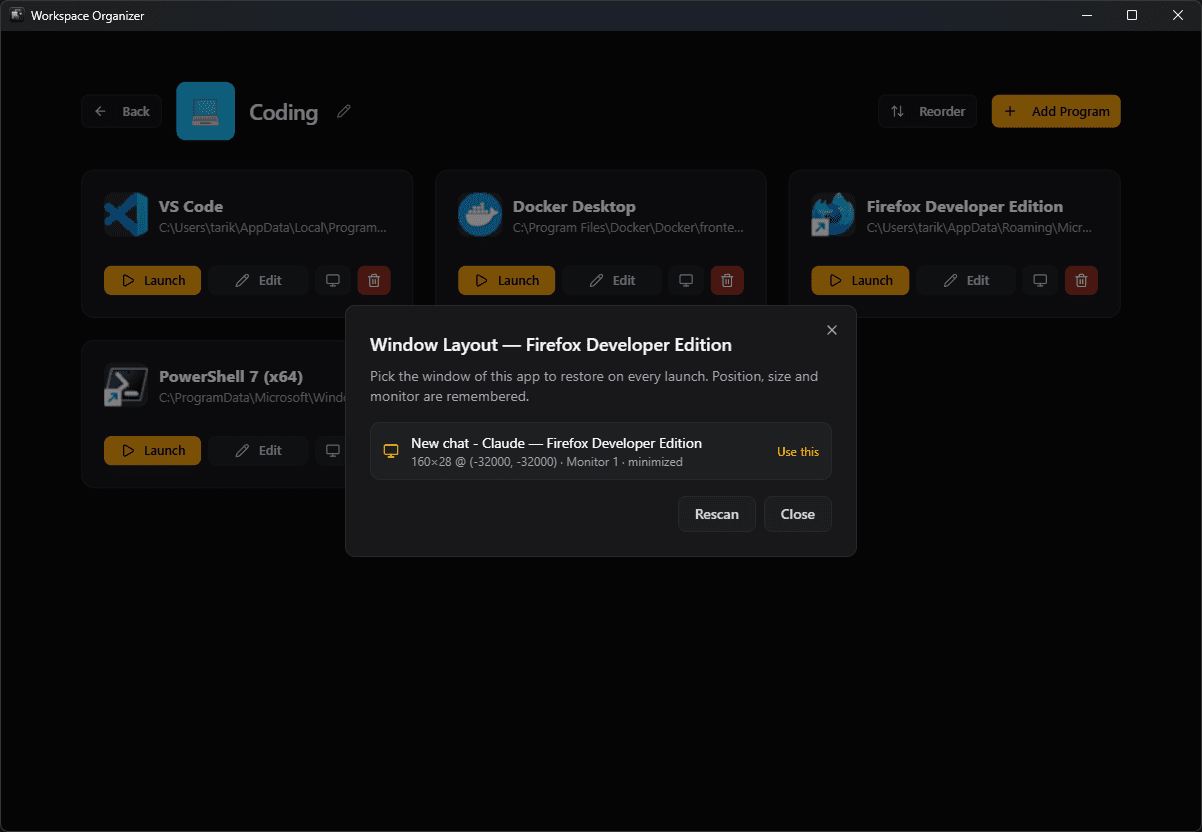
Remembers where each window goes
Choose the window an application should restore to and Workspace Organizer stores its position, size and monitor, then puts it back there on every launch.
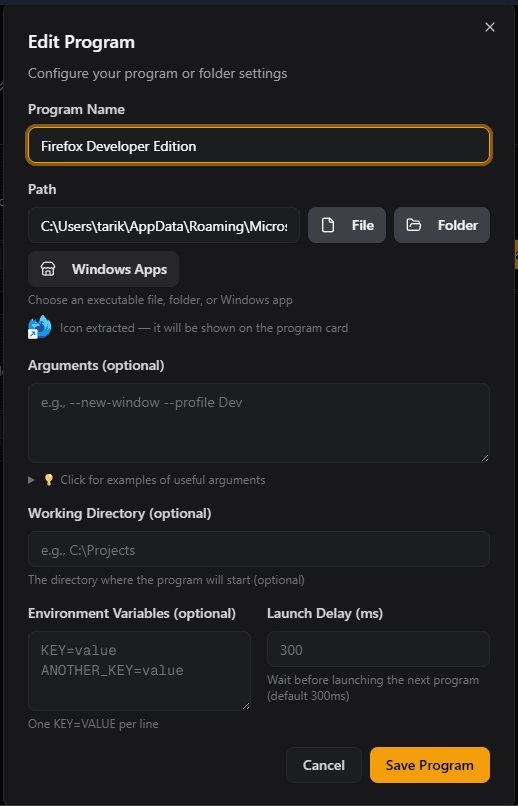
Arguments, working directory, environment
Each program can carry its own launch arguments, working directory, environment variables and a start delay, so a workspace reproduces a real development setup rather than just a list of icons.
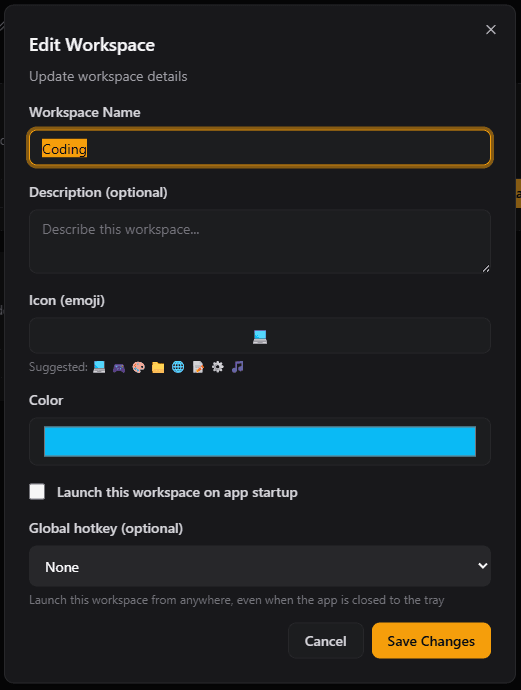
Colours, icons, hotkeys and auto-start
Give each workspace a colour and an icon, assign it its own global hotkey, and mark it to open when Windows starts.
Workspaces you define once
Group the applications, folders and tools a project needs into a named workspace, then launch the whole set with one click instead of opening each one by hand.
Notes that stay with the workspace
Keep per-workspace notes beside the thing they describe — where you stopped, and what comes next.
Try, then buy
What the free trial includes
The free trial runs for 24 hours from first launch.
The trial includes everything: unlimited workspaces, the global quick launcher, window-layout memory, per-program arguments and environment variables. No payment details are needed to start it. When the 24 hours are up the app stops working until a licence key is entered; the workspaces you built are kept and work again as soon as it is activated.
What you get and when
Immediately after payment, Lemon Squeezy, LLC emails your receipt. Your download link and licence key appear instantly in your account at alhomsi.dev/en/account — sign in with Google using the same email address you used at checkout.
Lemon Squeezy, LLC is the merchant of record for every purchase on this site. It takes the payment, charges and remits any applicable tax, and handles refunds. We never see or store your card details.
Buying through the Microsoft Store instead? That purchase is handled entirely by Microsoft and will not appear in your account here.
Get Workspace Organizer
Saves and relaunches complete workspace setups — apps, folders and window layouts.
$4.99one-time · USD
- Up to 3 personal computers
- Free updates for the version you buy
- Licence key and download, instantly
- 14-day refund window
- Tax calculated at checkout by Lemon Squeezy
This is the same price you will see at checkout.
Details
Specifications
| Version | 2.3.0 |
|---|---|
| Download size | 7.9 MB |
| Operating system | Windows 10 version 1809 (build 17763) or later, including Windows 11 |
| Architecture | x64 |
| Category | Developer tools |
| Price | $4.99 · One-time purchase |
| Licence | One-time purchase, activated with a licence key |
| Free trial | 24 hours |
| Requirements | 4 GB RAM |
| No additional runtime to install | |
| Last updated | 2026-08-31 |
FAQ