Alhomsi Dev
NexPOS
A restaurant till that works when the internet doesn't.
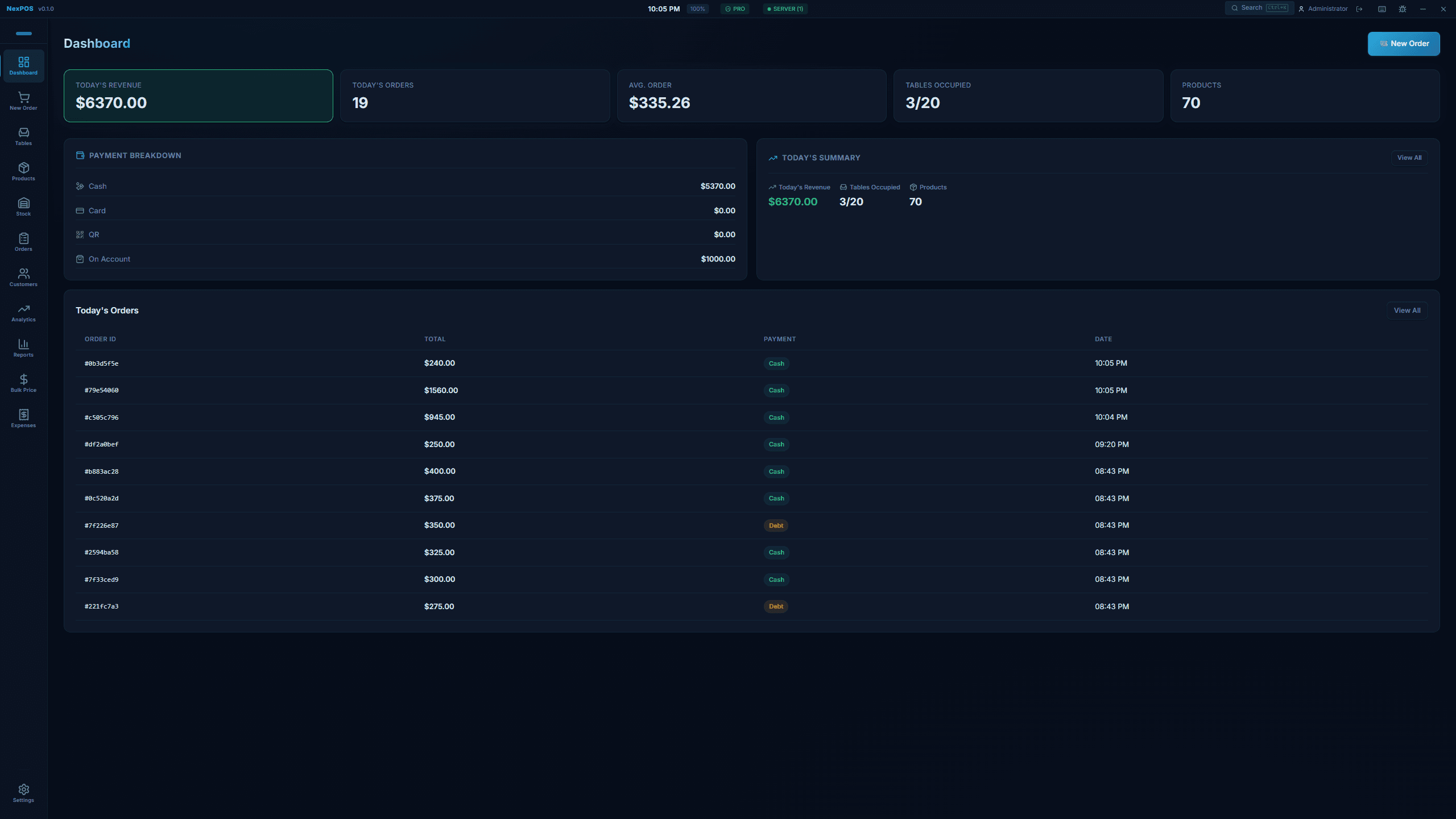
NexPOS runs the counter: taking orders, managing tables, tracking stock and printing receipts. It runs on the venue's own Windows PC and stores everything in a local database, so a dropped connection does not stop you trading.
$29.99one-time · USD
- One-time purchase
- 14-day refund
- Instant licence key
- Windows 10 & 11
- Price
- $29.99
- One-time purchase
- Free trial
- 7 days
- No card needed
- Version
- 2.0.0
- Last updated: 2026-09-01
- Works on
- Windows 10 & 11
- 14.0 MB · x64
Features
What it does
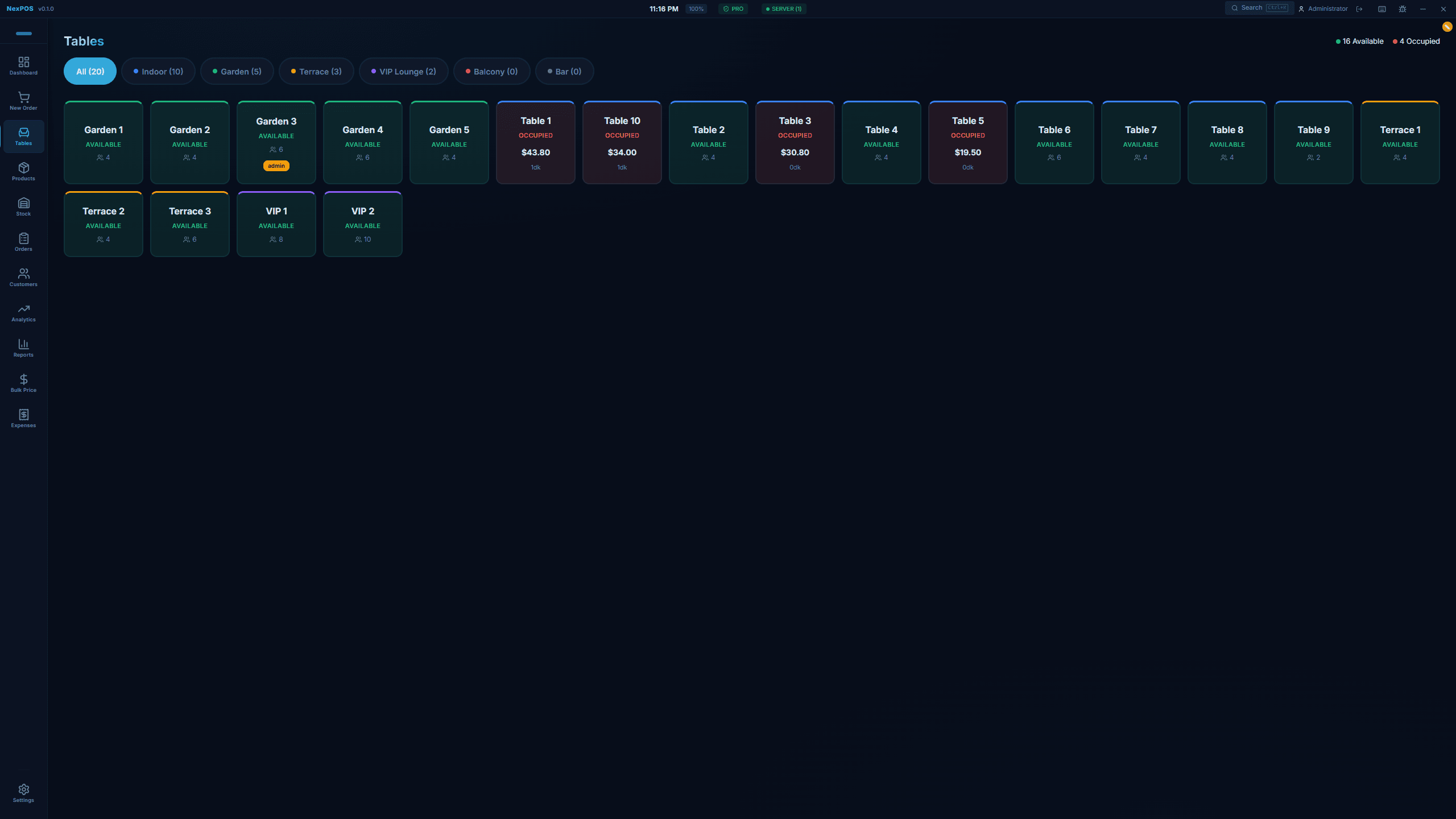
Tables across zones
Lay out indoor, garden, terrace, VIP, balcony and bar zones, see which tables are occupied and what each one currently owes, and move an order back to the till from the table.
Products and prices
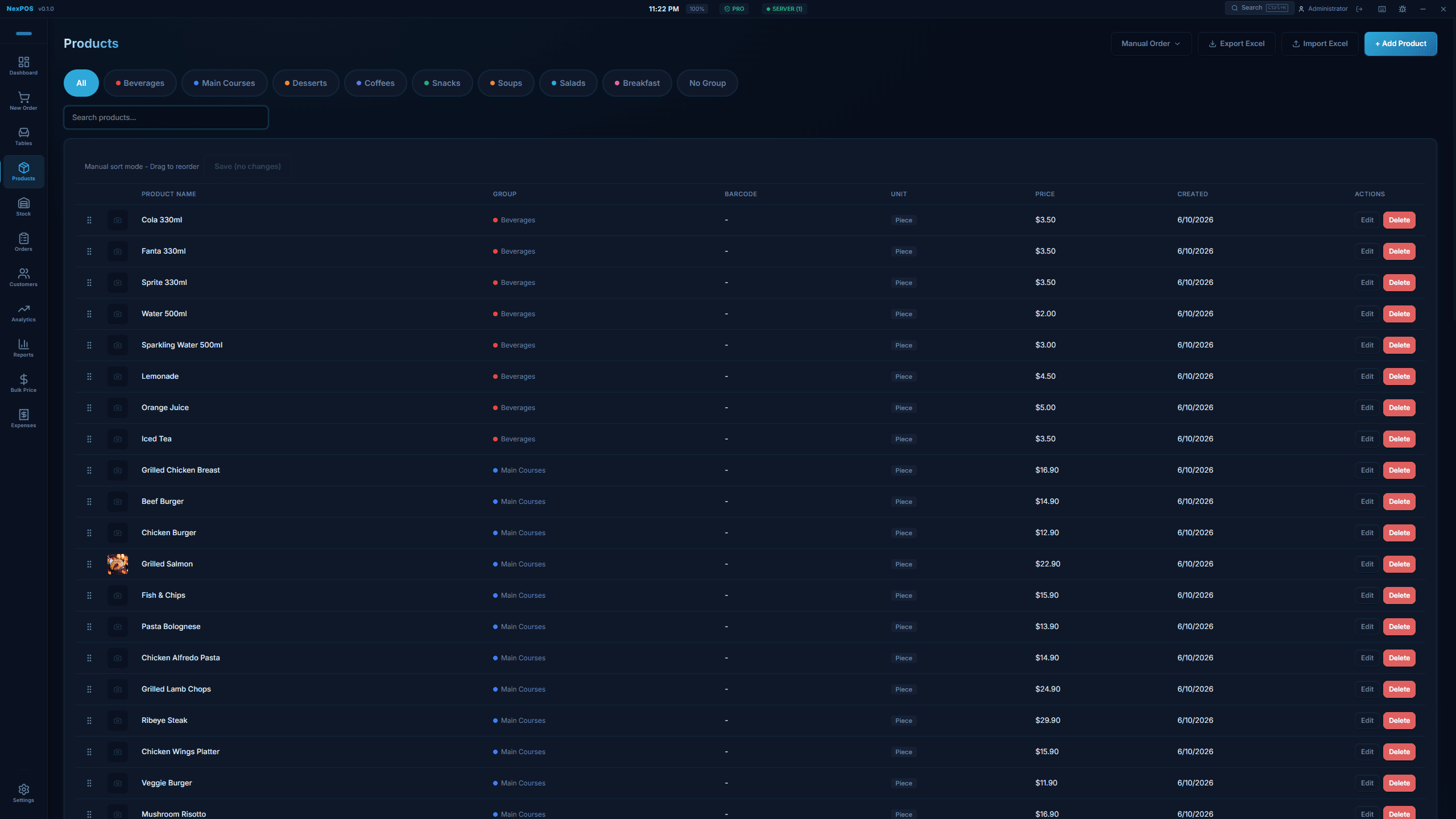
Organise products into groups with prices, portions and barcodes. The catalogue imports and exports as Excel, so a first setup does not have to be typed in by hand.
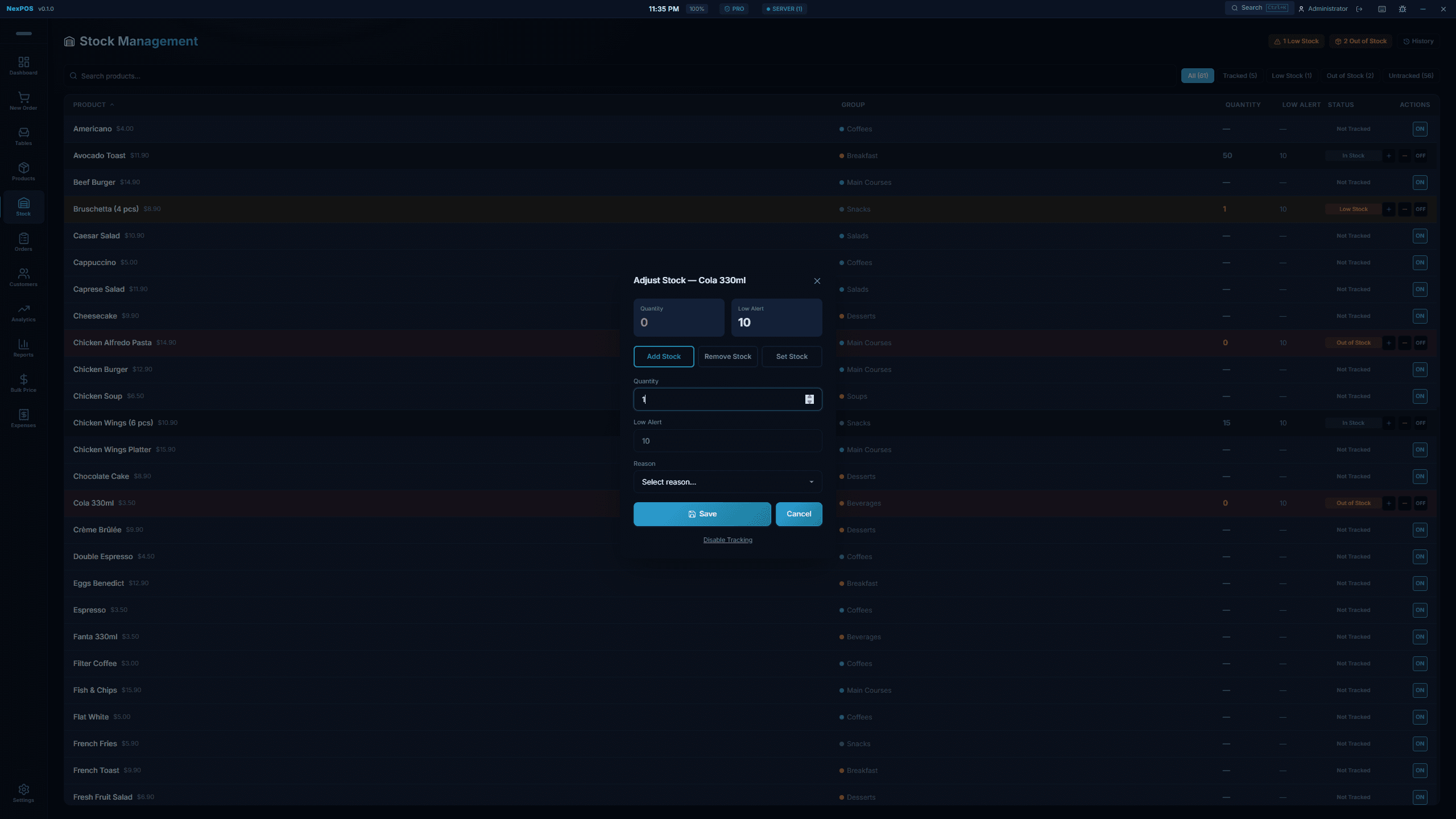
Stock tracking with low alerts
Track quantity per product with a low-stock threshold, and adjust stock with a reason recorded against the change. Products you do not want to count stay untracked.
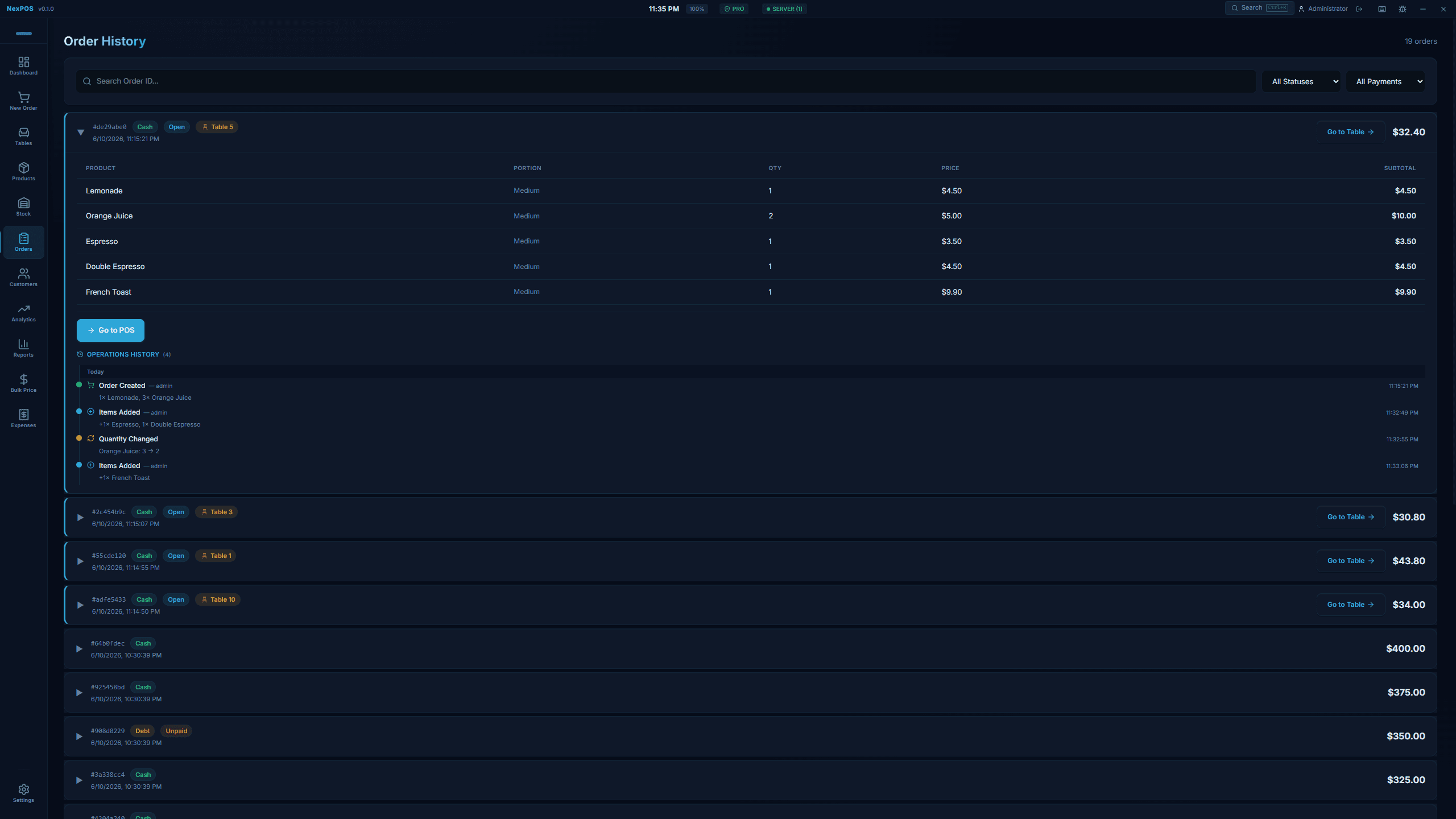
Order history you can audit
Every order keeps an operations trail — created, items added, quantity changed — with the user and the timestamp against each step, so a disputed bill has an answer.
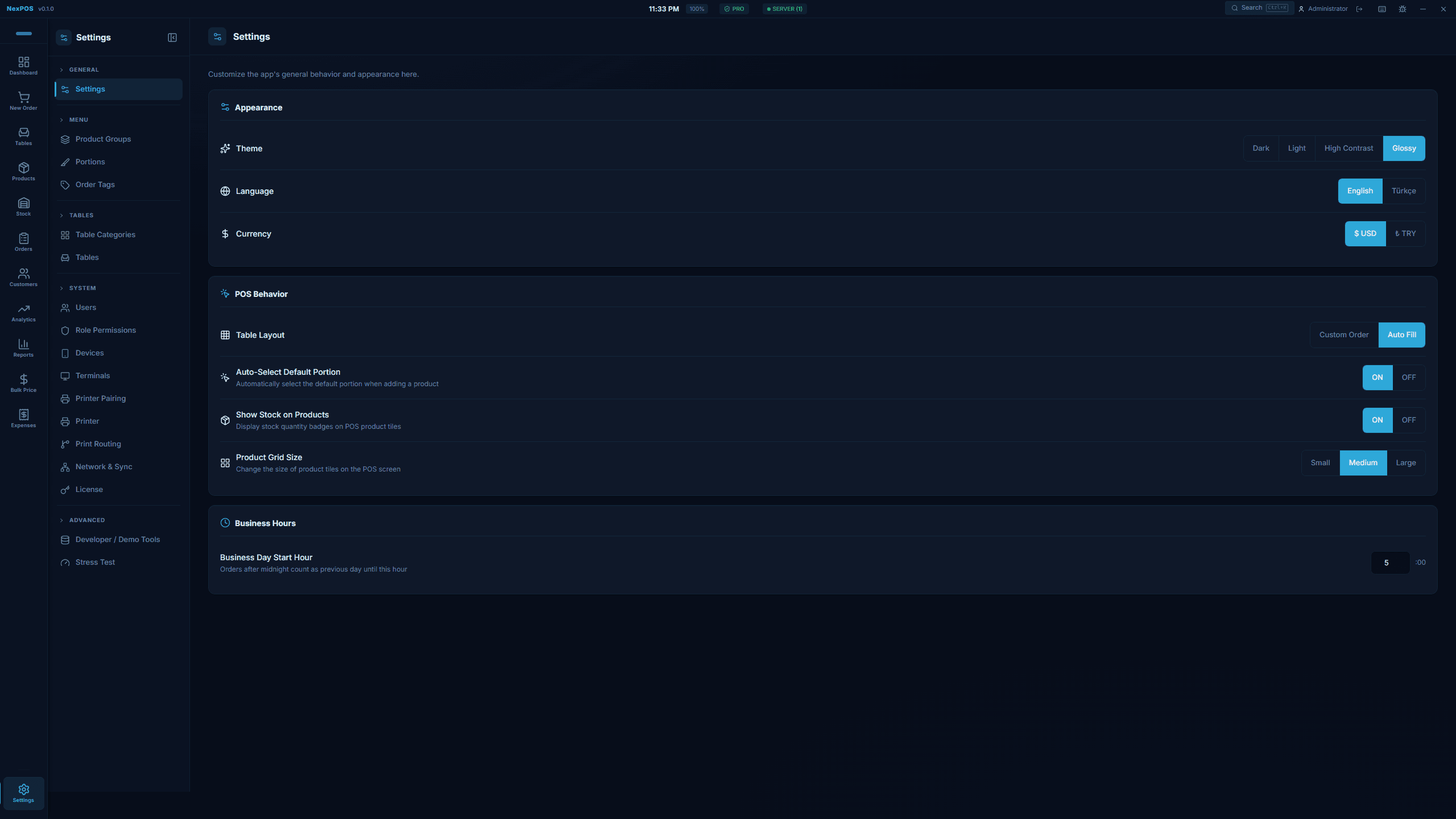
Multiple terminals
Run several cashier stations over your local network in server and client mode, without any of them needing internet access. Terminals, printer pairing and the licence are managed in settings.
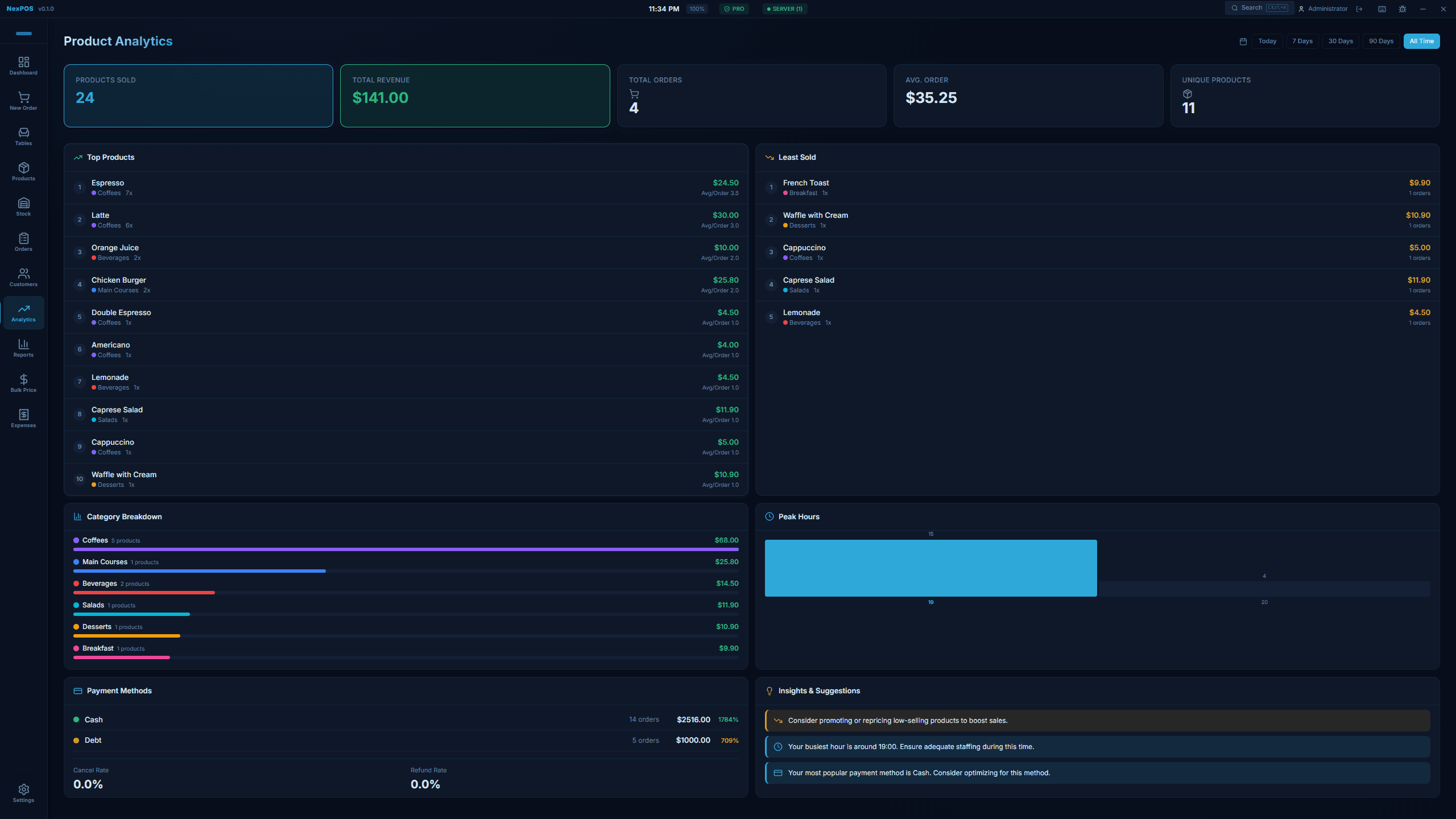
Reports and analytics
Daily, weekly and custom-range reports with revenue breakdowns, best and worst sellers, category splits, peak hours and payment-method totals.
Offline first
Sales go through without an internet connection. Data is held in a local SQLite database on your own machine and is not sent to a cloud service.
Fast counter screen
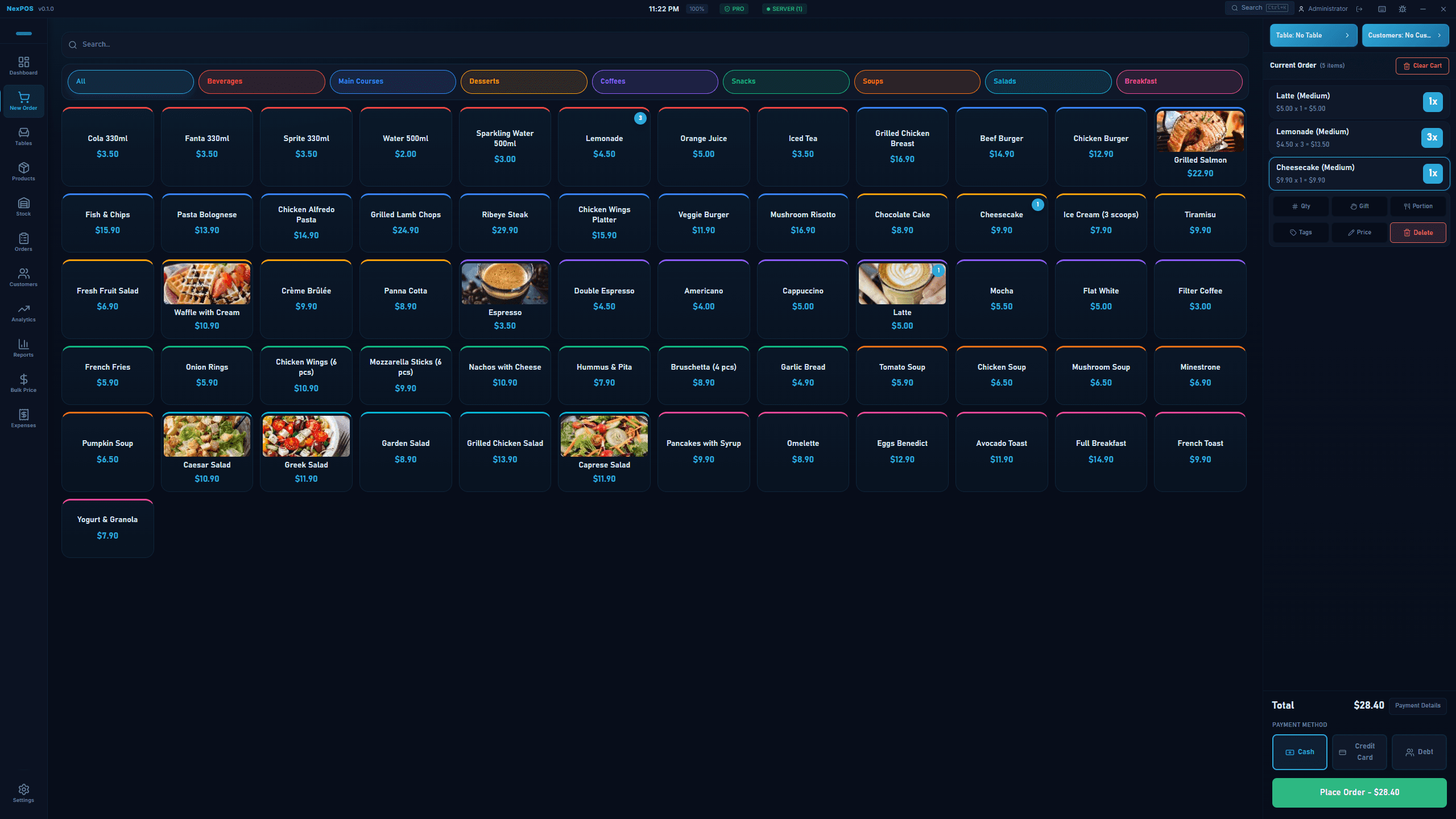
A product grid with colour-coded groups, portion sizes and a running order beside it, built so a round takes taps rather than menus. Cash, card and on-account payment in one screen.
Receipt printing
Prints to ESC/POS receipt printers over USB or your local network, with print routing so kitchen and counter tickets go to the right device.
Try, then buy
What the free trial includes
The free trial runs for 7 days from first launch.
The trial is the full application for seven days: unlimited products and orders, tables, stock tracking, reports, receipt printing and multi-terminal networking. No payment details are needed to start it. When the seven days are up the app stops taking orders until a licence key is entered; your products, tables and sales history are kept and are there when you activate.
What you get and when
Immediately after payment, Lemon Squeezy, LLC emails your receipt. Your download link and licence key appear instantly in your account at alhomsi.dev/en/account — sign in with Google using the same email address you used at checkout.
Lemon Squeezy, LLC is the merchant of record for every purchase on this site. It takes the payment, charges and remits any applicable tax, and handles refunds. We never see or store your card details.
Buying through the Microsoft Store instead? That purchase is handled entirely by Microsoft and will not appear in your account here.
Get NexPOS
Offline-first point of sale for restaurants, cafés and small shops.
$29.99one-time · USD
- One venue: server + up to 3 terminals
- Free updates for the version you buy
- Licence key and download, instantly
- 14-day refund window
- Tax calculated at checkout by Lemon Squeezy
This is the same price you will see at checkout.
Details
Specifications
| Version | 2.0.0 |
|---|---|
| Download size | 14.0 MB |
| Operating system | Windows 10 version 1809 (build 17763) or later, including Windows 11 |
| Architecture | x64 |
| Category | Business |
| Price | $29.99 · One-time purchase |
| Licence | One-time purchase, activated with a licence key |
| Free trial | 7 days |
| Requirements | 4 GB RAM |
| A 1280x720 or larger display; touchscreens are supported | |
| Optional: an ESC/POS receipt printer over USB or the local network | |
| Last updated | 2026-09-01 |
FAQ
Questions
What is NexPOS?
How much does NexPOS cost?
Does NexPOS need an internet connection?
Are there monthly fees?
What do I receive when I buy?
Can I run more than one till?
Which receipt printers work?
Where is my sales data stored?
More screenshots