Alhomsi Dev
Sukun
Mutes your PC for the adhan, on time, every time.
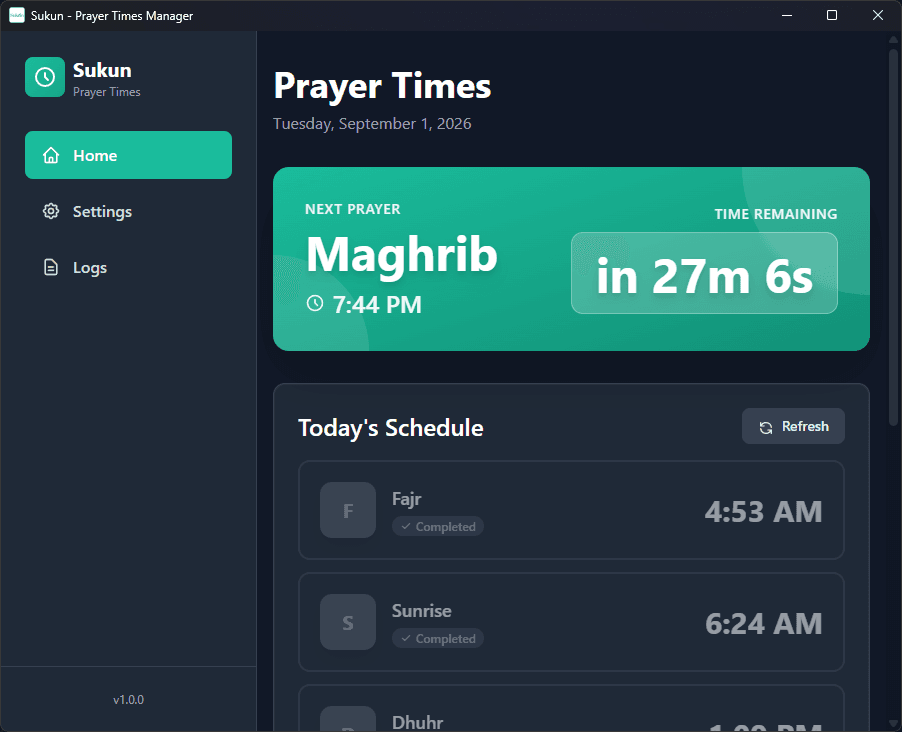
Sukun sits in the system tray and keeps track of prayer times. It mutes system audio when a prayer begins so the adhan is not competing with whatever you were listening to, and notifies you beforehand. It is free.
- No licence key needed
- Windows 10 & 11
- Price
- Free
- Free, no licence key required
- Version
- 1.0.1
- Last updated: 2026-06-18
- Works on
- Windows 10 & 11
- 6.7 MB · x64
Features
What it does
Automatic muting
System audio is muted when a prayer time arrives, so nothing plays over the adhan, and restored afterwards.
Notice before each prayer
A live countdown to the next prayer, and configurable alerts ahead of it, so the time does not arrive unannounced.
Runs in the background
Starts with Windows and lives in the system tray. It is lightweight and stays out of the way, with an activity log if you want to check what it did.
Accurate times
Prayer times come from the Aladhan API for your location, and the app keeps working offline once it has been set up.
English, Turkish and Arabic
The whole interface is available in all three.
Try, then buy
Free, with nothing to buy
Sukun is free. There is no trial period and no licence key.
What you get and when
Install it from the Microsoft Store. Because it is free, there is nothing to buy and no account needed.
Buying through the Microsoft Store instead? That purchase is handled entirely by Microsoft and will not appear in your account here.
Get Sukun
Prayer-times manager for Windows that mutes system audio automatically.
Free
- No licence key needed
- No purchase and no trial limit
- Windows 10 & 11
Details
Specifications
| Version | 1.0.1 |
|---|---|
| Download size | 6.7 MB |
| Operating system | Windows 10 version 1809 (build 17763) or later, including Windows 11 |
| Architecture | x64 |
| Category | Utilities |
| Price | Free |
| Licence | Free, no licence key required |
| Free trial | None — the app is free |
| Requirements | 2 GB RAM |
| An internet connection the first time, to fetch prayer times for your location | |
| Last updated | 2026-06-18 |
FAQ